Complete firstClear scenario
The goal, starting point, role, and scope of one connected experience are named.
Without bounds, the sequence becomes an unstructured set of situations.
A practical method guide: clarify prerequisites and materials, understand the complete process, and look up outputs, pitfalls, and stop criteria.
What needs to be finished first
The goal, starting point, role, and scope of one connected experience are named.
Relevant research is linked; concept assumptions and unobserved experiences are labeled.
The decision or understanding the sequence should support is clear.
What needs to be ready before start
Scenario description, relevant research evidence or clearly labeled assumptions, paper or a digital board with frames, and pens.
One person assembles the story; a small team checks readability and transitions. For user-centered storyboards, use statements and emotions only when supported by evidence or label them as hypotheses.
Set the role, goal, timeframe, starting problem, and pending decision. Gather research notes and gaps.
About 45–90 minutes for one focused sequence including scenario, sketches, and review. Plan research and later validation separately.
Arrange frames in reading order. Choose low fidelity before drawing. Mark evidence, hypotheses, and unknowns visibly.
The one question this method answers
Which situations, actions, and transitions shape this specific user flow or proposed experience?
Phases with goal, actions, output and pitfall
Storyboarding arranges a scenario, visual scenes, and short captions into a readable flow. It helps teams review the context and transitions of a researched experience or proposed solution. Assumptions about thoughts and feelings must be labeled.
Fictional concept example
One connected scene per row with context, action, and evidence status.
| Storyboard frame | Frame | Scene and context | Action or touchpoint | Evidence or assumption |
|---|---|---|---|---|
| Frame 1Show the trigger and goal. | 1 | A shelf comes loose on Saturday. | The person decides they need a cordless drill. | Fictional assumption about need; not an observed case. |
| Frame 2Show the first step and search context. | 2 | The person opens a fictional tool catalog. | They search for a suitable item. | Concept assumption; no real research. |
| Frame 3Show decision-relevant information. | 3 | The tool card shows stock and location. | A Saturday pickup window appears beside availability. | Proposed touchpoint, not tested yet. |
| Frame 4Explain the transition to the next action. | 4 | The person chooses a time window. | A reservation step confirms the plan. | Untested functional assumption. |
| Frame 5Show access to the service. | 5 | The person arrives at the lending site. | Directions and access information support pickup. | Opening hours and access conditions to check. |
| Frame 6Show the outcome and an open follow-up. | 6 | The tool is returned after the repair. | The flow ends with an available return option. | Fictional assumption; validate return in everyday use. |
Substantiate inner states and events from research or label them as assumptions.
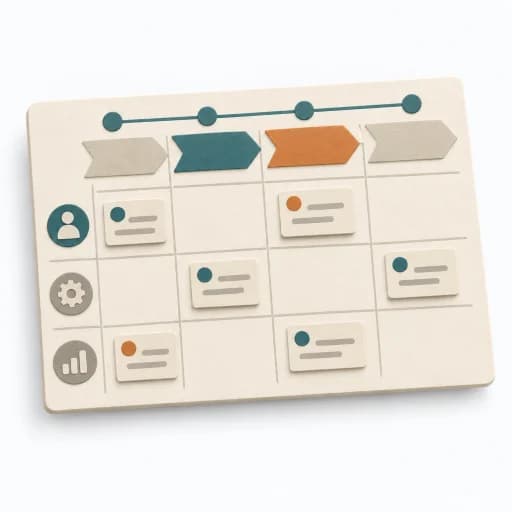
Scenario
Goal
Choose a case with a beginning, goal, and answerable design question.
Inputs for this step
Actions
Output
One bounded scenario with purpose and evidence status.
One bounded scenario with purpose and evidence status.
Quality check
One person or role pursues an understandable goal; fact and assumption are distinguishable.
Pitfall
Several personas, goals, and timelines are mixed together. Bound the work to one person-role, one goal, and one connected flow.
Timing: 10–15 minutes to set question and scenario
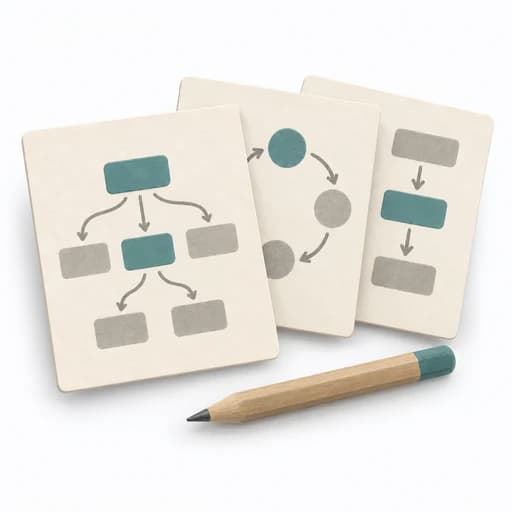
Sequence
Goal
Break the scenario into a small number of ordered key moments.
Inputs for this step
Actions
Output
Ordered scene sequence with visible transitions.
Ordered scene sequence with visible transitions.
Quality check
Each scene contributes to the goal or design question.
Pitfall
Frames repeat the same action or jump without a transition. Remove redundant frames and make missing transitions visible.
Timing: 10–20 minutes to sequence scenes
Storyboard
Goal
Draw simply and caption actions and relevant context.
Inputs for this step
Actions
Output
Storyboard with legible visuals, short captions, and evidence markers.
Storyboard with legible visuals, short captions, and evidence markers.
Quality check
Image and caption tell the same moment; unsupported emotions or quotes are not shown as fact.
Pitfall
Decorative drawings obscure the flow or imply unsupported feelings. Simplify the image and label assumptions instead of attributing thoughts to users.
Timing: 20–40 minutes for sketches and captions
Review
Goal
Read the sequence without verbal explanation and mark unclear transitions.
Inputs for this step
Actions
Output
Revised sequence with a design question or test task.
Revised sequence with a design question or test task.
Quality check
An outside reader understands goal, sequence, and outcome from the cards.
Pitfall
The facilitator explains every gap but still considers the storyboard clear. Redraw unclear scenes and turn open assumptions into a test.
Timing: 10–20 minutes for clarity review and follow-up
What comes out at the end
Sketch: what the artifact looks like
Dated storyboard with scenario, ordered visual sequence, short captions, evidence status, and next checks.
Version the scenario, sequence, and review status. Mark which scenes reflect new evidence or changed assumptions. Use personal images only when appropriately authorized.
Compact agenda template for method sequences with timebox, purpose, and output.
Goal: ... Participants: ... Duration: ...
| Time | Method | Purpose | Output |
|---|---|---|---|
| 00:00 | Check-in | Set focus | Shared start |
| 00:10 | How Might We | Ideation questions | HMW list |
| 00:35 | Brainwriting | Generate ideas | Idea pool |
| 01:10 | Dot Voting | Prepare selection | Prioritized ideas |
| 01:30 | Storyboarding | Make the concept tangible | Storyboard |
Decision, owner, next test.
Prepare a short, focused sequence for one use scenario or concept.
To be confirmed
To be confirmed
One focused storyboard Time: About 45–90 minutes for one sequence; research and validation are outside the session.
Complete this worksheet on paper or in your own document during the work.
| Storyboard frame | Frame | Scene and context | Action or touchpoint | Evidence or assumption |
|---|---|---|---|---|
| Frame 1 | ||||
| Frame 2 | ||||
| Frame 3 | ||||
| Frame 4 | ||||
| Frame 5 | ||||
| Frame 6 |
Blank template: add context, action, and evidence status for each frame.
Expected artifact: One bounded scenario with purpose and evidence status.
One bounded scenario with purpose and evidence status.
Entry:
...
Expected artifact: Ordered scene sequence with visible transitions.
Ordered scene sequence with visible transitions.
Entry:
...
Expected artifact: Storyboard with legible visuals, short captions, and evidence markers.
Storyboard with legible visuals, short captions, and evidence markers.
Entry:
...
Expected artifact: Revised sequence with a design question or test task.
Revised sequence with a design question or test task.
Entry:
...
...
Method guide: https://methodatlas.meierhoff-systems.de/en/methods/storyboarding/run-sheet
Concrete filled scenario, fictional example
Fictional example for orientation. Counts and timings describe this case and are not universal requirements.
Concrete filled scenario, fictional example
All people, steps, and product ideas are invented. No research was conducted; this is a concept storyboard, not a documented user experience.
Role and scenario: Someone wants to repair a wobbly shelf on Saturday and checks a fictional neighborhood lending service.
Frame 1, need: The shelf is loose; the person decides they need a cordless drill. Assumption about the trigger.
Frame 2, search: The person opens the tool catalog and looks for a suitable item. Concept assumption.
Frame 3, availability: A card shows stock, location, and a Saturday pickup window. Proposed service touchpoint.
Frame 4, reservation: The person chooses a window and receives confirmation. Untested interaction assumption.
Frame 5, pickup: The person uses the directions and access information. Open: are hours and accessibility clear enough?
Frame 6, return: After the repair, the person returns the tool; the flow ends. Open: which return options work in everyday use?
Review question: Do people understand the link between stock, time window, and reservation?
Next step: Test the transition in a prototype. Do not present the role’s thoughts, feelings, or words as observed fact.
Recognize symptoms and steer against them
Quick overview, the full text is in the matching phase in the flow
Several personas, goals, and timelines are mixed together.
Bound the work to one person-role, one goal, and one connected flow.
Frames repeat the same action or jump without a transition.
Remove redundant frames and make missing transitions visible.
Decorative drawings obscure the flow or imply unsupported feelings.
Simplify the image and label assumptions instead of attributing thoughts to users.
The facilitator explains every gap but still considers the storyboard clear.
Redraw unclear scenes and turn open assumptions into a test.
When to pause, resolve prerequisites, or choose another approach
Go to the profile for purpose, similar methods, and sources or continue to the next method in the catalog.