Complete firstClear scenario
The group, goal, start and end, and current or future perspective are specified.
Different scenarios may require separate maps.
A practical method guide: clarify prerequisites and materials, understand the complete process, and look up outputs, pitfalls, and stop criteria.
What needs to be finished first
The group, goal, start and end, and current or future perspective are specified.
Available research, observations or service data are accessible. Assumptions and missing evidence are labeled.
Relevant research and service perspectives participate; follow-up ownership is assigned.
What needs to be ready before start
A large surface with freely named columns, source references and distinct markers for evidence, assumptions and open questions.
Facilitation, research or UX perspective, and relevant service or product roles. A small working group of roughly 4 to 10 people is a guide; choose roles for the scenario.
Gather relevant cases, user accounts, observations and available service data. Classify sources by situation and date.
Allow roughly 2 to 4 hours for a focused mapping session. Gathering and analyzing research and evaluating improvements are additional work.
Display the scenario. Develop columns from the journey and add rows for actions, touchpoints, experiences and evidence. Agree on how to label assumptions.
The one question this method answers
How does this group experience the chosen scenario across its phases, and where would learning or improvement help?
Phases with goal, actions, output and pitfall
Journey Mapping maps the journey of a specific group in a clear scenario. It connects actions, touchpoints, and evidenced experiences to the questions and improvements that follow.
Fictional teaching example
Fictional current journey of a household planning a repair. All entries are invented; missing experience remains visible.
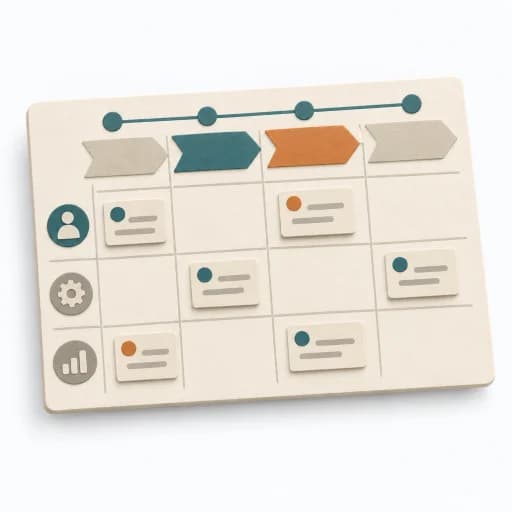
| Experience lane | Search and reserve | Plan collection | Collect tools | Return |
|---|---|---|---|---|
| ActionsWhat does the person do in this phase? | Choose a tool and request dates. | Arrange travel and collection time. | Identify the reservation and collect the tool. | Return the tool at the agreed time. |
| TouchpointsWhere and through which channel does the action happen? | Catalog and reservation form. | Confirmation and a phone inquiry. | Collection point and service staff. | Return point. |
| Thoughts and feelingsWhat is reported or observed, and what is assumed or open? | Open: how easy is choosing a tool? | Fictional note F1: uncertainty about whether the tool is firmly reserved. | Fictional note F1: the in-person explanation is described as helpful. | Open: no account of the return experience is available. |
| Evidence and follow-up questionWhich source supports the claim and what investigation follows? | Assumed sequence; investigate real selection cases. | Fictional note F1; examine confirmation clarity. | Fictional note F1; compare different collection cases. | No source; investigate return cases. |
These four journey phases belong to this example. Scope and names follow your scenario; an emotion curve is optional and needs evidence.
Frame
Goal
Everyone works on the same journey.
Inputs for this step
Actions
Output
Scenario frame
Group · goal · boundaries · perspective
Quality check
Is the chosen journey unambiguous?
Pitfall
A generic customer journey is expected to explain every situation. Select a concrete scenario and note differences for additional maps.
Timing: Roughly 15 minutes with prepared inputs.
Sequence
Goal
Phases represent meaningful parts of the scenario.
Inputs for this step
Actions
Output
Journey phases
Sequence · transitions · actions
Quality check
Do phases follow the person’s experience?
Pitfall
Internal departments are treated as journey phases. Name phases by the person’s actions and goals.
Timing: Roughly 20 minutes for a bounded scenario.
Map
Goal
The map distinguishes evidence, assumptions and gaps.
Inputs for this step
Actions
Output
Evidenced working map
Action · touchpoint · experience · source
Quality check
Is each claim supported or visibly assumed?
Pitfall
A dramatic emotion curve replaces missing research. Leave missing details open and specify the research needed.
Timing: Roughly 40 minutes; analyze extensive sources beforehand.
Interpret

Goal
Opportunities follow the scenario and available evidence.
Inputs for this step
Actions
Output
Justified opportunities
Moment · evidence · potential impact · open question
Quality check
Does the map justify the opportunity?
Pitfall
Every marked point receives a premature solution. Clarify impact and open questions first; label a solution as a proposal.
Timing: Roughly 25 minutes for selection and clarification.
Act
Goal
An owner follows the next learning or improvement step.
Inputs for this step
Actions
Output
Tasks and an updateable map
Next step · owner · review
Quality check
Are the follow-up task and review concrete?
Pitfall
The map is filed away without following its open questions. Agree on a suitable follow-up task, owner and review.
Timing: Roughly 20 minutes for closure and tasks.
What comes out at the end
Sketch: what the artifact looks like
A dated journey map with scenario, sources, labeled knowledge gaps and assigned follow-up work.
Record scenario, perspective, date and evidence version. Retain earlier versions and trace changes in experience or assumptions.
Plan the scenario, sources and working approach for a useful journey map.
To be confirmed
To be confirmed
Develop a journey map Time: 2–4 hours; research is additional
Complete this worksheet on paper or in your own document during the work.
| Experience lane | Name phase 1 | Name phase 2 | Name phase 3 | Name phase 4 |
|---|---|---|---|---|
| Actions | ||||
| Touchpoints | ||||
| Thoughts and feelings | ||||
| Evidence and follow-up question |
Before filling the map, record group, goal, start, end and current or future perspective. Name, add or remove columns for the scenario. Label sources and assumptions.
Structure based on Nielsen Norman Group
Expected artifact: Scenario frame
Group · goal · boundaries · perspective
Entry:
...
Expected artifact: Journey phases
Sequence · transitions · actions
Entry:
...
Expected artifact: Evidenced working map
Action · touchpoint · experience · source
Entry:
...
Expected artifact: Justified opportunities
Moment · evidence · potential impact · open question
Entry:
...
Expected artifact: Tasks and an updateable map
Next step · owner · review
Entry:
...
...
Method guide: https://methodatlas.meierhoff-systems.de/en/methods/journey-map/run-sheet
Concrete filled scenario, fictional example
Fictional example for orientation. Counts and timings describe this case and are not universal requirements.
Concrete filled scenario, fictional example
All details are invented. No user accounts have been collected.
Scenario: A household wants to borrow tools for a planned repair. The map describes an assumed current experience from search to return.
Phases: Search and reserve → Plan collection → Collect tools → Return.
Example F1: The person asks before traveling whether the tool is firmly reserved. The fictional note describes uncertainty at this transition. No account of the return experience is available; that field stays open.
Possible opportunity: Investigate how understandable the reservation confirmation is.
Follow-up: Alex compares confirmations and clarification requests in relevant real cases. A change will be decided afterward. The map does not establish problem frequency or cause.
Recognize symptoms and steer against them
Quick overview, the full text is in the matching phase in the flow
A generic customer journey is expected to explain every situation.
Select a concrete scenario and note differences for additional maps.
Internal departments are treated as journey phases.
Name phases by the person’s actions and goals.
A dramatic emotion curve replaces missing research.
Leave missing details open and specify the research needed.
Every marked point receives a premature solution.
Clarify impact and open questions first; label a solution as a proposal.
The map is filed away without following its open questions.
Agree on a suitable follow-up task, owner and review.
When to pause, resolve prerequisites, or choose another approach
Go to the profile for purpose, similar methods, and sources or continue to the next method in the catalog.