Complete firstConcrete subject
Bound one concrete work activity in context; plan consent, privacy, and relevant case variation.
Without a boundary the run becomes generic and untestable.
A practical method guide: clarify prerequisites and materials, understand the complete process, and look up outputs, pitfalls, and stop criteria.
What needs to be finished first
Bound one concrete work activity in context; plan consent, privacy, and relevant case variation.
Research lead · participants · recorder or analyst · domain decision owner
What needs to be ready before start
Consent, research protocol, secure raw-data store, and analysis surface
Research lead · participants · recorder or analyst · domain decision owner
Bound one concrete work activity in context; plan consent, privacy, and relevant case variation. Prepare real cases, sources, and boundaries.
Several field sessions over one to three weeks.
Create a workspace with Research scope · Participants · Field record · Clarified actions · Findings; keep example values separate from live data.
The one question this method answers
How do people perform real work in context, and which interruptions or adaptations become visible?
Phases with goal, actions, output and pitfall
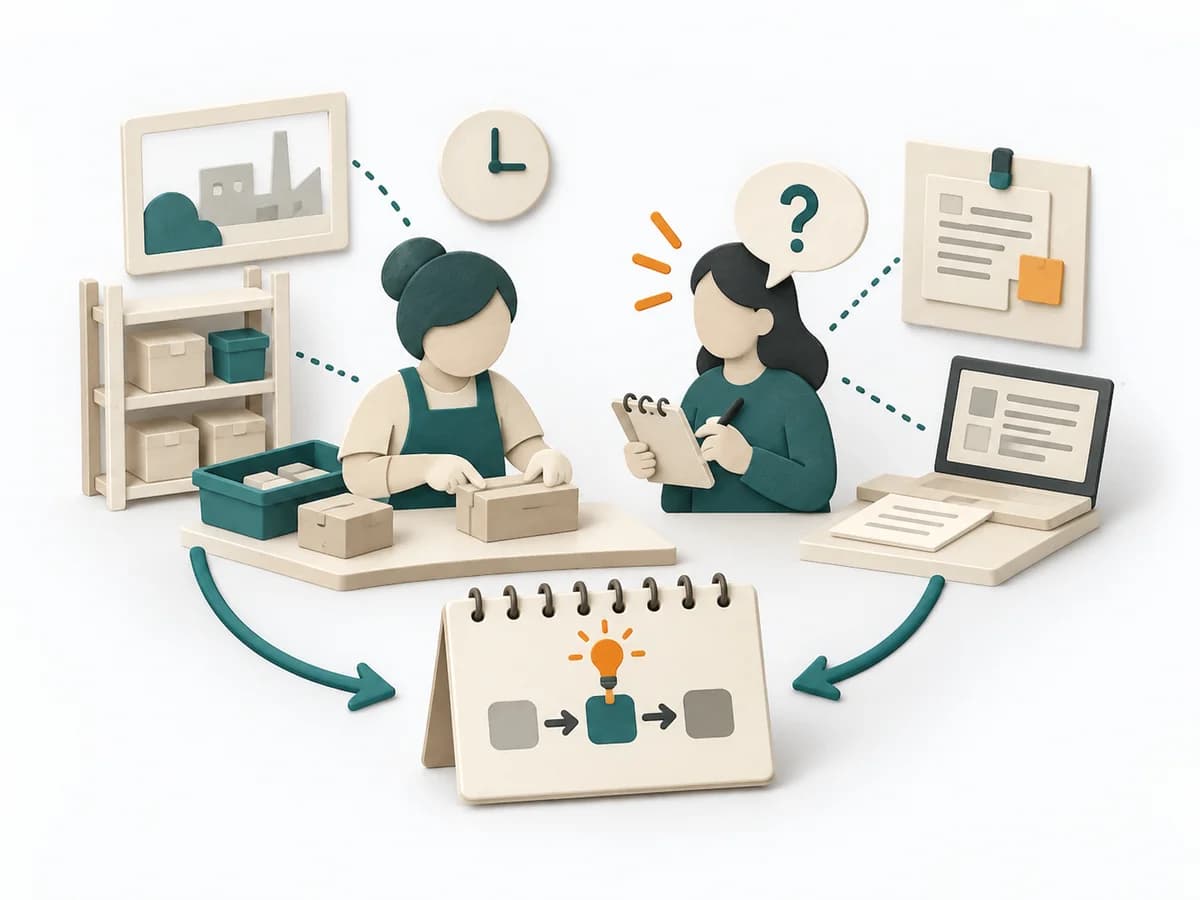
Contextual inquiry follows work in its real situation and connects visible behaviour, artefacts, and context. Details become meaningful where they occur in the activity.
Fictional example
Fictional values are assigned to explicit method fields.
| Event | Time | Context | Observation | Quote | Interpretation |
|---|---|---|---|---|---|
| Spare-part searchObserve one work event; separate observation, quote, and interpretation. | 10:14 | Customer basement, weak network | Technician opens chat, scrolls for 47 seconds, and calls the warehouse. | “The system shows yesterday's inventory.” | Delay relates to currency, not a missing search function. |
| Alternative foundObserve one work event; separate observation, quote, and interpretation. | 10:18 | Warehouse phone call | Warehouse names a compatible part; technician photographs the label. | “I will remember that next time.” | Personal memory substitutes for an accessible compatibility list. |
All details are fictional.
Focus
Goal
Research scope: Clarify research question, work situation, observation boundary, and consent.
Inputs for this step
Actions
Output
Research scope
Clarify research question, work situation, observation boundary, and consent
Quality check
Are question, context boundary, and privacy explicit?
Pitfall
When the research question and observation boundary stay vague, the team cannot later tell which observations belong to the question. Define the question, work situation, and boundary concretely, and secure consent before the visit.
Timing: Use the time needed within the overall frame; close the step only after its check passes.
Sample
Goal
Participants: Recruit participants with relevant experience and prepare a session in the real work context.
Inputs for this step
Actions
Output
Participants
Recruit participants with relevant experience and prepare a session in the real work context
Quality check
Does selection cover relevant variation rather than easy availability?
Pitfall
When only easily available people are selected, the sample misses relevant variation in the work. Select participants deliberately for relevant experience and schedule the visit at the real place of work.
Timing: Use the time needed within the overall frame; close the step only after its check passes.
Observe
Goal
Field record: Minimise interruption while observing actions, artifacts, and context.
Inputs for this step
Actions
Output
Field record
Minimise interruption while observing actions, artifacts, and context
Quality check
Does the record separate observation, quote, and interpretation?
Pitfall
When observation, quote, and personal interpretation land in the same sentence, the record can no longer be told apart afterward. Record observation, verbatim quote, and interpretation separately and interrupt the work as little as possible.
Timing: Use the time needed within the overall frame; close the step only after its check passes.
Probe
Goal
Clarified actions: Use the master-apprentice stance to ask about intent, exceptions, and meaning at concrete moments.
Inputs for this step
Actions
Output
Clarified actions
Use the master-apprentice stance to ask about intent, exceptions, and meaning at concrete moments
Quality check
Do follow-up questions address the concrete action rather than general opinion?
Pitfall
When follow-up questions target general opinions instead of the action just observed, the intent behind it stays unclear. Using the master-apprentice mode, ask about intent, exception, and meaning right at the observed moment.
Timing: Use the time needed within the overall frame; close the step only after its check passes.
Patterns
Goal
Findings: Synthesize observations into patterns, variations, and open questions linked to evidence.
Inputs for this step
Actions
Output
Findings
Synthesize observations into patterns, variations, and open questions linked to evidence
Quality check
Are patterns supported by cases with counterexamples visible?
Pitfall
When a single memorable case is sold as a general pattern, the findings do not hold up. Support every pattern with multiple cases and name counterexamples and open questions explicitly.
Timing: Use the time needed within the overall frame; close the step only after its check passes.
What comes out at the end
Sketch: what the artifact looks like
Findings with evidence, open points, owner, and review.
Record date, owner, source state, and review date; preserve earlier versions.
Plan subject, participation, complete flow, and review.
To be confirmed
To be confirmed
Whole initiative Time: Several field sessions over one to three weeks.
Complete this worksheet on paper or in your own document during the work.
| Event | Time | Context | Observation | Quote | Interpretation |
|---|---|---|---|---|---|
| Spare-part search | |||||
| Alternative found |
The blank worksheet contains prompts only.
Reference source · original teaching example
Expected artifact: Research scope
Clarify research question, work situation, observation boundary, and consent
Entry:
...
Expected artifact: Participants
Recruit participants with relevant experience and prepare a session in the real work context
Entry:
...
Expected artifact: Field record
Minimise interruption while observing actions, artifacts, and context
Entry:
...
Expected artifact: Clarified actions
Use the master-apprentice stance to ask about intent, exceptions, and meaning at concrete moments
Entry:
...
Expected artifact: Findings
Synthesize observations into patterns, variations, and open questions linked to evidence
Entry:
...
...
Method guide: https://methodatlas.meierhoff-systems.de/en/methods/contextual-inquiry/run-sheet
Concrete filled scenario, fictional example
Fictional example for orientation. Counts and timings describe this case and are not universal requirements.
Concrete filled scenario, fictional example
| Event | Time | Context | Observation | Quote | Interpretation |
|---|---|---|---|---|---|
| Spare-part search | 10:14 | Customer basement, weak network | Technician opens chat, scrolls for 47 seconds, and calls the warehouse. | “The system shows yesterday's inventory.” | Delay relates to currency, not a missing search function. |
| Alternative found | 10:18 | Warehouse phone call | Warehouse names a compatible part; technician photographs the label. | “I will remember that next time.” | Personal memory substitutes for an accessible compatibility list. |
Recognize symptoms and steer against them
Quick overview, the full text is in the matching phase in the flow
When the research question and observation boundary stay vague, the team cannot later tell which observations belong to the question.
Define the question, work situation, and boundary concretely, and secure consent before the visit.
When only easily available people are selected, the sample misses relevant variation in the work.
Select participants deliberately for relevant experience and schedule the visit at the real place of work.
When observation, quote, and personal interpretation land in the same sentence, the record can no longer be told apart afterward.
Record observation, verbatim quote, and interpretation separately and interrupt the work as little as possible.
When follow-up questions target general opinions instead of the action just observed, the intent behind it stays unclear.
Using the master-apprentice mode, ask about intent, exception, and meaning right at the observed moment.
When a single memorable case is sold as a general pattern, the findings do not hold up.
Support every pattern with multiple cases and name counterexamples and open questions explicitly.
When to pause, resolve prerequisites, or choose another approach
Go to the profile for purpose, similar methods, and sources or continue to the next method in the catalog.