Complete firstComparable subject
Set item set, included work, and shared Definition of Done; remove unclear or unlike items first.
Without a common frame, values are not comparable.
A practical method guide: clarify prerequisites and materials, understand the complete process, and look up outputs, pitfalls, and stop criteria.
What needs to be finished first
Set item set, included work, and shared Definition of Done; remove unclear or unlike items first.
Comparable refined items, shared Definition of Done, relative scale, reference items, and discussion pile
What needs to be ready before start
Comparable refined items, shared Definition of Done, relative scale, reference items, and discussion pile
Delivery team sorts · product owner clarifies · facilitator protects silent flow
Set item set, included work, and shared Definition of Done; remove unclear or unlike items first.
30–60 minutes for 20–50 comparable items; analyse disputed items afterwards.
Prepare a workspace with Frame · Anchors · Sort · Conflicts · Calibrate; separate example from live data.
The one question this method answers
How can the team quickly order many comparable items by relative size and discuss only genuine uncertainty?
Phases with goal, actions, output and pitfall
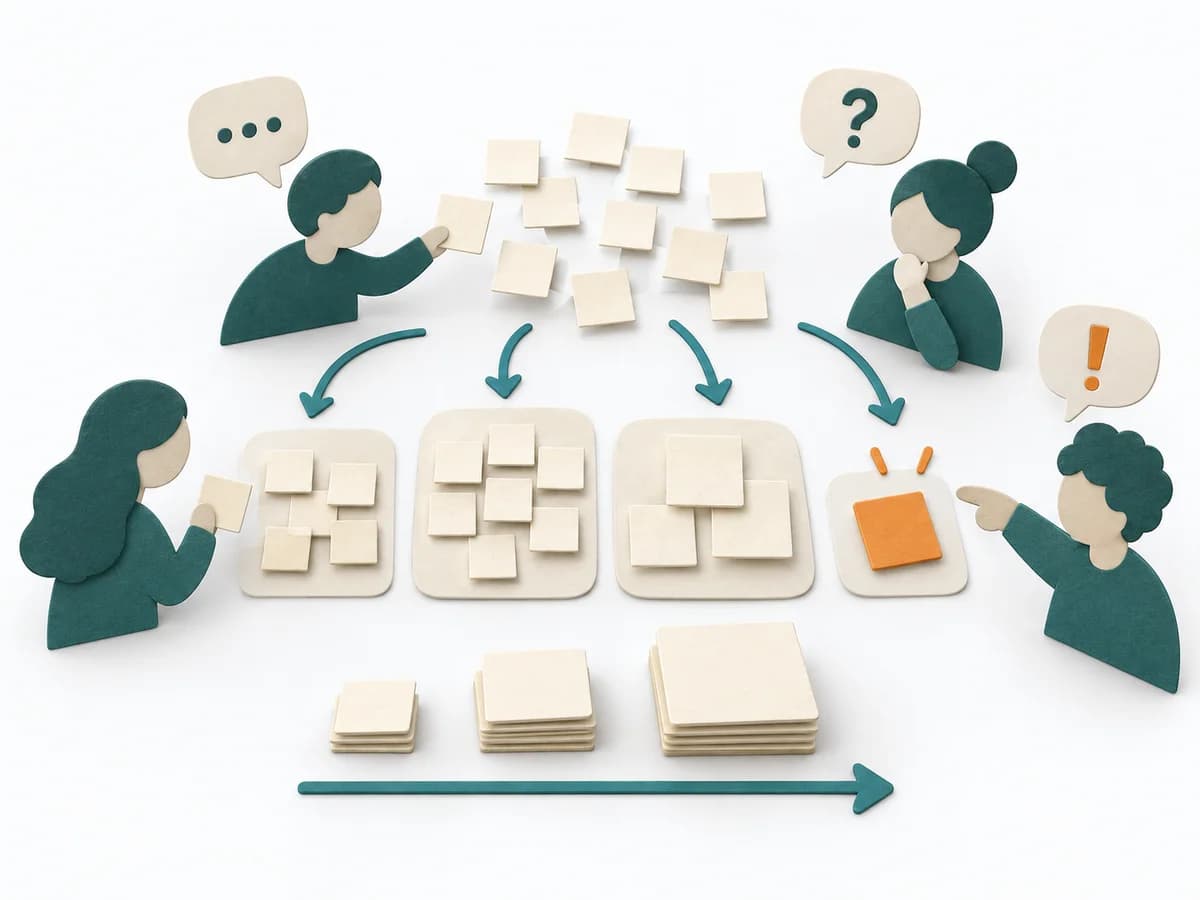
Affinity estimation places tasks relative to known reference items and condenses the assessment into clusters. Shared sorting uses pattern recognition and makes outliers visible for focused clarification.
Fictional example
Fictional values show the actual method fields.
| Item | Included | Reference | First placement | Conflict | Outcome | Follow-up |
|---|---|---|---|---|---|---|
| Delete tokenAdd evidence and rationale. | Build, test, security, rollout | Small anchor: validation rule | Small | None | Small | Ready |
| Save cardAdd evidence and rationale. | Build, test, security review, rollout | Medium anchor: provider token | Medium/Large | Guest users and migration unclear | Medium | Scope fixed |
| Provider migrationAdd evidence and rationale. | Auth, migration, fallback, certification | Large anchor: new payment method | Beyond large | Several outcomes | Clarification pile | Split + spike |
All values are fictional.
Frame
Goal
Comparison set: Set comparable items and one shared meaning of size.
Inputs for this step
Actions
Output
Comparison set
Set comparable items and one shared meaning of size.
Quality check
Do all items include the same work types and Done standard?
Pitfall
Research, features, and operations projects share one set. Split the set or align the sizing dimension.
Timing: 5–10 minutes
Anchors
Goal
Size anchors: Place a known small, medium, and large item as relative orientation.
Inputs for this step
Actions
Output
Size anchors
Place a known small, medium, and large item as relative orientation.
Quality check
Are anchors understood and from the same work domain?
Pitfall
Anchors are target values rather than completed comparison work. Use only known work with a shared Done definition.
Timing: 5–10 minutes
Sort
Goal
First sort: Team members silently place items relative to anchors; an item may be moved once.
Inputs for this step
Actions
Output
First sort
Team members silently place items relative to anchors; an item may be moved once.
Quality check
Was placement independent before discussion or numeric anchoring?
Pitfall
The first person explains every placement and anchors others. Place silently and discuss only conflicts.
Timing: 10–20 minutes
Conflicts
Goal
Clarification pile: On a second move request, put the item in discussion; resolve differences in scope and risk.
Inputs for this step
Actions
Output
Clarification pile
On a second move request, put the item in discussion; resolve differences in scope and risk.
Quality check
Does discussion expose different work models rather than preferences?
Pitfall
Items move back and forth and stall the pass. After one move, separate the next conflict deliberately.
Timing: 10–15 minutes
Calibrate
Goal
Relative estimate: Name groups, inspect boundaries, and split or refer large and unclear items.
Inputs for this step
Actions
Output
Relative estimate
Name groups, inspect boundaries, and split or refer large and unclear items.
Quality check
Are neighbourhoods plausible and open items assigned a next step?
Pitfall
The order is converted into falsely precise hours. Keep relative groups and assumptions; forecast separately from throughput data.
Timing: 5–10 minutes
What comes out at the end
Sketch: what the artifact looks like
Relatively ordered and calibrated items with references, marked conflicts, assumptions, and split or clarification actions.
Record date, team, data state, and review date; preserve prior versions.
Set subject, data, roles, flow, and review.
To be confirmed
To be confirmed
Practice run Time: 30–60 minutes for 20–50 comparable items; analyse disputed items afterwards.
Complete this worksheet on paper or in your own document during the work.
| Item | Included | Reference | First placement | Conflict | Outcome | Follow-up |
|---|---|---|---|---|---|---|
| Delete token | ||||||
| Save card | ||||||
| Provider migration |
The blank worksheet contains prompts only.
Reference · original teaching example
Expected artifact: Comparison set
Set comparable items and one shared meaning of size.
Entry:
...
Expected artifact: Size anchors
Place a known small, medium, and large item as relative orientation.
Entry:
...
Expected artifact: First sort
Team members silently place items relative to anchors; an item may be moved once.
Entry:
...
Expected artifact: Clarification pile
On a second move request, put the item in discussion; resolve differences in scope and risk.
Entry:
...
Expected artifact: Relative estimate
Name groups, inspect boundaries, and split or refer large and unclear items.
Entry:
...
...
Method guide: https://methodatlas.meierhoff-systems.de/en/methods/affinity-estimation/run-sheet
Concrete filled scenario, fictional example
Fictional example for orientation. Counts and timings describe this case and are not universal requirements.
Concrete filled scenario, fictional example
| Item | Included | Reference | First placement | Conflict | Outcome | Follow-up |
|---|---|---|---|---|---|---|
| Delete token | Build, test, security, rollout | Small anchor: validation rule | Small | None | Small | Ready |
| Save card | Build, test, security review, rollout | Medium anchor: provider token | Medium/Large | Guest users and migration unclear | Medium | Scope fixed |
| Provider migration | Auth, migration, fallback, certification | Large anchor: new payment method | Beyond large | Several outcomes | Clarification pile | Split + spike |
Recognize symptoms and steer against them
Quick overview, the full text is in the matching phase in the flow
Research, features, and operations projects share one set.
Split the set or align the sizing dimension.
Anchors are target values rather than completed comparison work.
Use only known work with a shared Done definition.
The first person explains every placement and anchors others.
Place silently and discuss only conflicts.
Items move back and forth and stall the pass.
After one move, separate the next conflict deliberately.
The order is converted into falsely precise hours.
Keep relative groups and assumptions; forecast separately from throughput data.
When to pause, resolve prerequisites, or choose another approach
Go to the profile for purpose, similar methods, and sources or continue to the next method in the catalog.