Complete firstSimulability
An operator can produce intended responses within realistic bounds.
Unrealistic perfection would misrepresent the eventual product.
A practical method guide: clarify prerequisites and materials, understand the complete process, and look up outputs, pitfalls, and stop criteria.
What needs to be finished first
An operator can produce intended responses within realistic bounds.
Plan voluntary research participation, data access, withdrawal and prompt debriefing.
What needs to be ready before start
Facade, operator console, response rules, log.
Participants, moderator, concealed operator.
Define an interaction hypothesis, simulated scope and acceptable boundaries.
60–90 minutes preparation; 20–40 minutes per session plus debriefing.
Prepare the user interface and operator console separately; display response rules and use shared timestamps in both logs.
The one question this method answers
How do people use this interaction when the missing technology is simulated under controlled conditions?
Phases with goal, actions, output and pitfall
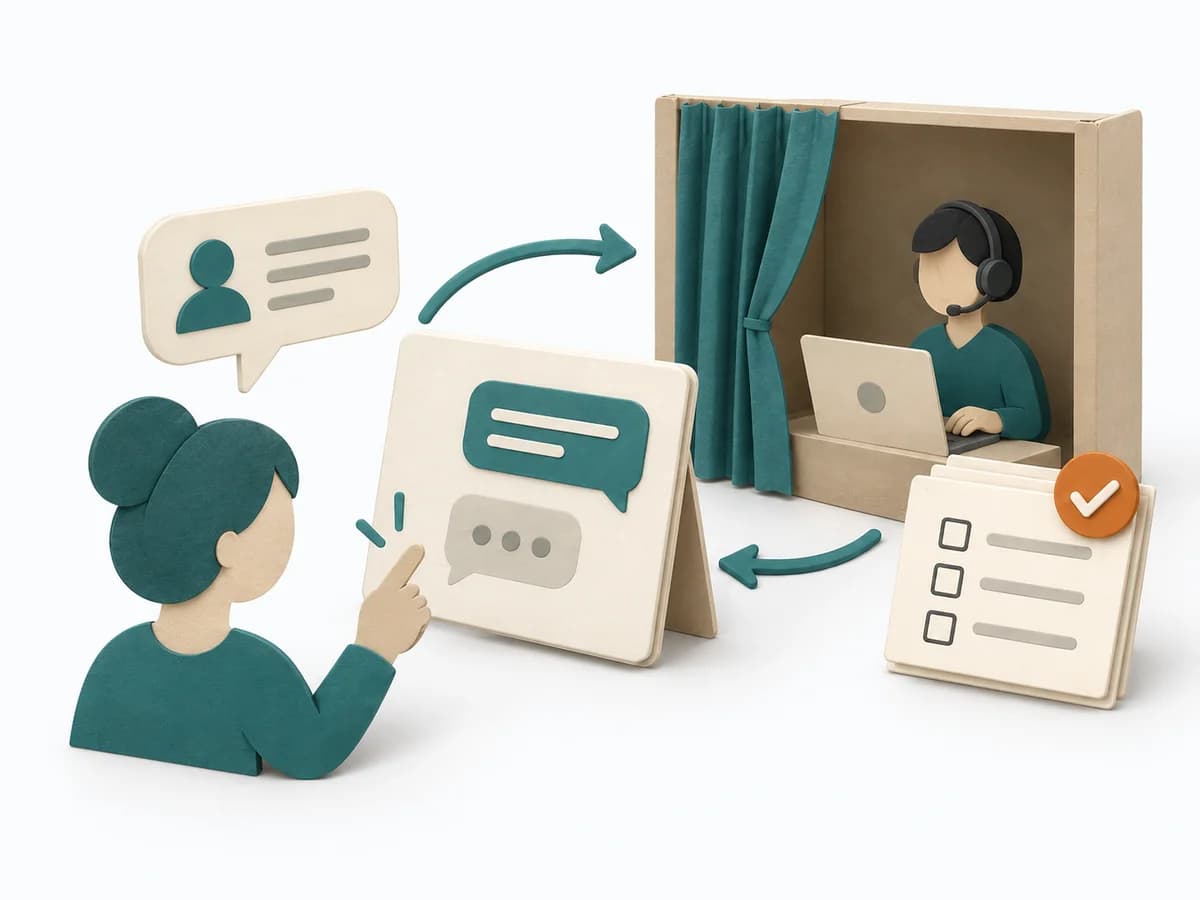
In a Wizard of Oz Test a person behind the scenes operates functions that appear automated to participants. This tests interaction and value assumptions before building the technology.
Fictional example
In a Wizard of Oz Test a person behind the scenes operates functions that appear automated to participants. This tests interaction and value assumptions before building the technology.
Which interaction and assumption are tested? What is manually simulated?
Fictional: a course assistant suggests classes matching three stated time windows. Hypothesis: people can then choose a suitable option independently. A concealed operator selects from a fixed course list; no real AI exists.
Define response rules, latency, failure cases and manual interventions.
Lea returns at most three matching offers within 20–40 seconds. No match triggers a request for another time window. Unplanned responses are logged as deviations.
What information is needed upfront, which simulation is temporarily concealed, and how is debriefing handled?
Voluntary participation in a research prototype; only fictional scheduling data, human access to inputs disclosed. The exact operator workflow is explained immediately afterwards; withdrawal and agreed deletion are available.
Record task, user action, operator action, timing, help and outcome separately.
P02 enters three times; Lea responds after 32 seconds. P02 overlooks location and chooses a time-compatible class at the wrong venue. The moderator explains only after task completion.
What was disclosed, how did the person respond and what limits remain?
P02 learns that Lea selected the options. The team adds location comparison and retests. Automated quality, scaling and operating costs are not established by this manual trial.
All example details are fictional and illustrate the application.
Simulation
Goal
Simulation contract
Inputs for this step
Actions
Output
Simulation contract
Is it clear which assumption the test can answer?
Quality check
Is it clear which assumption the test can answer?
Pitfall
The test is expected to prove scalability too. Plan technical feasibility as separate evidence.
Timing: 15–20 minutes
Protocol
Goal
Execution protocol
Inputs for this step
Actions
Output
Execution protocol
Are data access, withdrawal and debriefing clear?
Quality check
Are data access, withdrawal and debriefing clear?
Pitfall
Unexpected sensitive data reaches the operator. Interrupt and use only agreed harmless test data.
Timing: 20–30 minutes
Rehearsal
Goal
Rehearsed setup
Inputs for this step
Actions
Output
Rehearsed setup
Is operation reproducible rather than improvised?
Quality check
Is operation reproducible rather than improvised?
Pitfall
Each participant receives a different special solution. Define response rules and flag deviations.
Timing: 20–30 minutes
Observation
Goal
Behaviour log
Inputs for this step
Actions
Output
Behaviour log
Is assistance visible as an intervention in the log?
Quality check
Is assistance visible as an intervention in the log?
Pitfall
Success after help is counted as independent use. Count assisted and unassisted completion separately.
Timing: 20–40 minutes
Debriefing
Goal
Test findings
Inputs for this step
Actions
Output
Test findings
Have the simulation and its limits been disclosed?
Quality check
Have the simulation and its limits been disclosed?
Pitfall
Results are presented as working automation. State the human contribution explicitly and define the next technical test.
Timing: 10–15 minutes
What comes out at the end
Sketch: what the artifact looks like
Interaction findings with operator actions, latency, boundaries and debriefing.
Record date and scope; retain the previous version and reason when changing it.
Define an interaction hypothesis, simulated scope and acceptable boundaries.
To be confirmed
To be confirmed
Complete cycle Time: 60–90 minutes preparation; 20–40 minutes per session plus debriefing.
Complete this worksheet on paper or in your own document during the work.
Which interaction and assumption are tested? What is manually simulated?
...
Define response rules, latency, failure cases and manual interventions.
...
What information is needed upfront, which simulation is temporarily concealed, and how is debriefing handled?
...
Record task, user action, operator action, timing, help and outcome separately.
...
What was disclosed, how did the person respond and what limits remain?
...
Answer the prompts with your own information. Explicitly mark unknowns and assumptions.
NN/g: The Wizard of Oz Method in UX
Expected artifact: Simulation contract
Is it clear which assumption the test can answer?
Entry:
...
Expected artifact: Execution protocol
Are data access, withdrawal and debriefing clear?
Entry:
...
Expected artifact: Rehearsed setup
Is operation reproducible rather than improvised?
Entry:
...
Expected artifact: Behaviour log
Is assistance visible as an intervention in the log?
Entry:
...
Expected artifact: Test findings
Have the simulation and its limits been disclosed?
Entry:
...
...
Method guide: https://methodatlas.meierhoff-systems.de/en/methods/wizard-of-oz-test/run-sheet
Concrete filled scenario, fictional example
Fictional example for orientation. Counts and timings describe this case and are not universal requirements.
Concrete filled scenario, fictional example
Hypothesis and facade: Fictional: a course assistant suggests classes matching three stated time windows. Hypothesis: people can then choose a suitable option independently. A concealed operator selects from a fixed course list; no real AI exists.
Operator rules and limits: Lea returns at most three matching offers within 20–40 seconds. No match triggers a request for another time window. Unplanned responses are logged as deviations.
Participation and debriefing: Voluntary participation in a research prototype; only fictional scheduling data, human access to inputs disclosed. The exact operator workflow is explained immediately afterwards; withdrawal and agreed deletion are available.
Observation and operator log: P02 enters three times; Lea responds after 32 seconds. P02 overlooks location and chooses a time-compatible class at the wrong venue. The moderator explains only after task completion.
Debriefing and learning decision: P02 learns that Lea selected the options. The team adds location comparison and retests. Automated quality, scaling and operating costs are not established by this manual trial.
Recognize symptoms and steer against them
Quick overview, the full text is in the matching phase in the flow
The test is expected to prove scalability too.
Plan technical feasibility as separate evidence.
Unexpected sensitive data reaches the operator.
Interrupt and use only agreed harmless test data.
Each participant receives a different special solution.
Define response rules and flag deviations.
Success after help is counted as independent use.
Count assisted and unassisted completion separately.
Results are presented as working automation.
State the human contribution explicitly and define the next technical test.
When to pause, resolve prerequisites, or choose another approach
Go to the profile for purpose, similar methods, and sources or continue to the next method in the catalog.