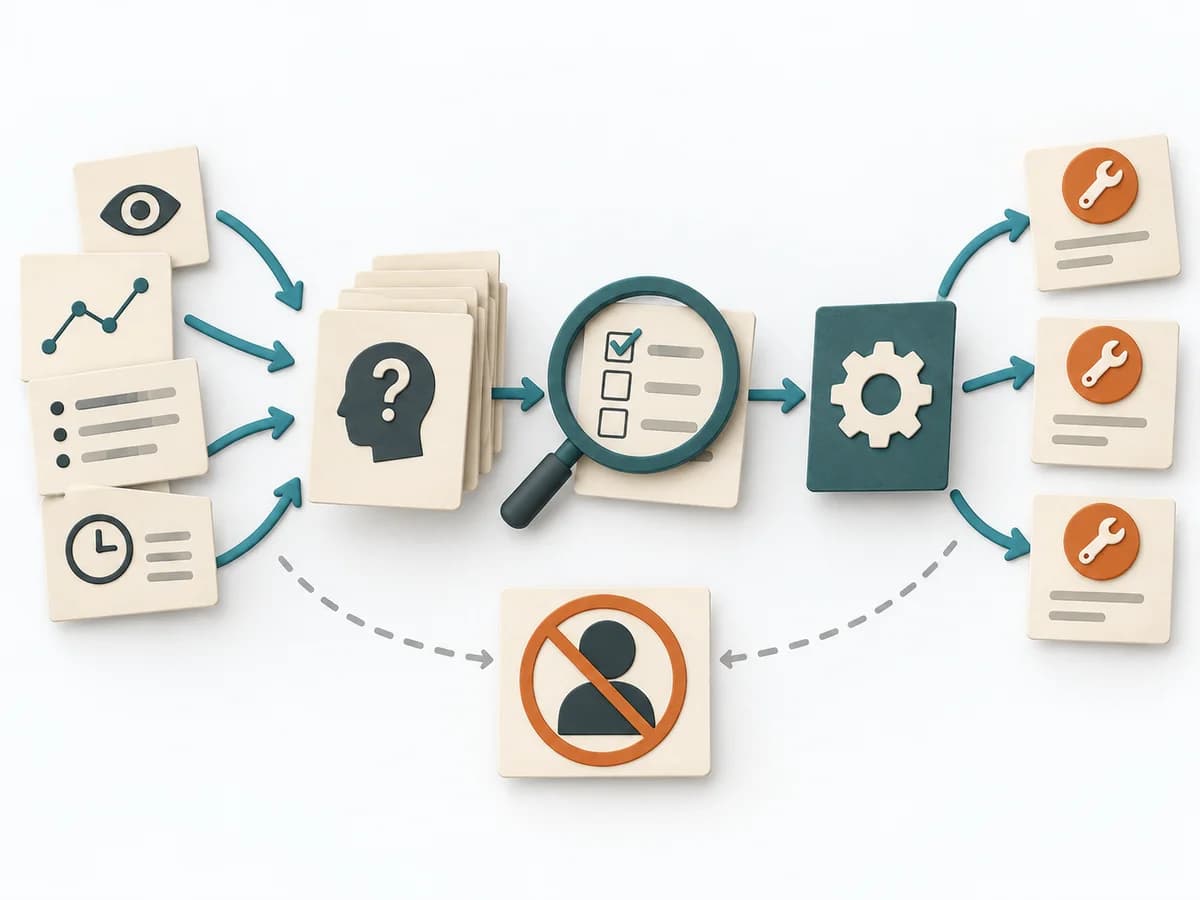
Complete firstClear boundary
Choose the event and a genuinely comparable incident-free reference with the same boundary and similar conditions.
Without a boundary, cases, periods, or variables become mixed.
A practical method guide: clarify prerequisites and materials, understand the complete process, and look up outputs, pitfalls, and stop criteria.
What needs to be finished first
Choose the event and a genuinely comparable incident-free reference with the same boundary and similar conditions.
Event situation, comparable incident-free reference, change matrix, time and source evidence, cause log
What needs to be ready before start
Event situation, comparable incident-free reference, change matrix, time and source evidence, cause log
Investigation lead · people from reference and event periods · process/system experts · action owners
Choose the event and a genuinely comparable incident-free reference with the same boundary and similar conditions.
90–180 minutes after securing the timeline; add evidence validation.
Prepare a workspace with Compare · Changes · Sequence · Effect · Conclude; separate example from live data.
The one question this method answers
Which evidenced change distinguishes the event from a comparable incident-free situation, and what effect did it have?
Phases with goal, actions, output and pitfall
Change analysis compares conditions before and after an observed shift. The comparison produces testable hypotheses about which change may have caused the effect.
Fictional example
Fictional values show the actual method fields.
| Category | Reference | Event | Difference | Time | Effect | Evidence | Status |
|---|---|---|---|---|---|---|---|
| ProcessAdd evidence and rationale. | No batch during peak | Batch starts 09:08 | New parallel workload | 09:08 | Pool rises to 95%; checkout timeouts | Scheduler and pool log | Causal trigger |
| ControlAdd evidence and rationale. | Batch metric visible | Metric removed | Alert blind spot | Dashboard release 13 May | Batch use triggers no alert | Dashboard version | Contributing control gap |
| PeopleAdd evidence and rationale. | Same team | Same team | No difference | Unchanged | No observable effect | Roster | Not causal |
All values are fictional.
Compare

Goal
Comparison pair: Test event and incident-free reference for equivalent service, boundary, and conditions.
Inputs for this step
Actions
Output
Comparison pair
Test event and incident-free reference for equivalent service, boundary, and conditions.
Quality check
Are reference and event comparable apart from changes under investigation?
Pitfall
A quiet weekday is compared with the Saturday peak. Choose a reference with similar demand, configuration, and mode, or mark differences.
Timing: 20–30 minutes
Changes
Goal
Change register: Capture differences across people, equipment, procedures, controls, and environment.
Inputs for this step
Actions
Output
Change register
Capture differences across people, equipment, procedures, controls, and environment.
Quality check
Is every difference concrete and labelled with time or version?
Pitfall
Only the most visible technical change is collected. Review every category, including planned, gradual, and external changes.
Timing: 30–45 minutes
Sequence
Goal
Evidence-backed chronology: Check whether each change was effective before the event; document source and uncertainty.
Inputs for this step
Actions
Output
Evidence-backed chronology
Check whether each change was effective before the event; document source and uncertainty.
Quality check
Did the change precede the effect, and is activation evidenced?
Pitfall
Commit time is equated with production effect. Evidence deployment, activation, and observation times separately.
Timing: 20–35 minutes
Effect
Goal
Effect assessment: Test mechanism and magnitude of each relevant change; distinguish trigger from exposed latent weakness.
Inputs for this step
Actions
Output
Effect assessment
Test mechanism and magnitude of each relevant change; distinguish trigger from exposed latent weakness.
Quality check
Is effect supported by a mechanism and counter-comparison?
Pitfall
The latest change is declared the sole root cause. Assess trigger and existing control gap separately and test against reference data.
Timing: 30–50 minutes
Conclude
Goal
Cause and action path: Move evidenced causal changes and system weaknesses into further causal analysis or actions.
Inputs for this step
Actions
Output
Cause and action path
Move evidenced causal changes and system weaknesses into further causal analysis or actions.
Quality check
Were non-causal differences rejected and actions linked to evidenced effect?
Pitfall
Every identified difference creates an action. Carry forward only changes with evidenced mechanisms; retain others as open hypotheses.
Timing: 20–35 minutes
What comes out at the end
Sketch: what the artifact looks like
Change analysis matrix with reference, event state, difference, time, effect, evidence, and causal status.
Record date, owner, source state, and review date; preserve prior versions.
Set subject, evidence, roles, flow, and review.
To be confirmed
To be confirmed
Complete run Time: 90–180 minutes after securing the timeline; add evidence validation.
Complete this worksheet on paper or in your own document during the work.
| Category | Reference | Event | Difference | Time | Effect | Evidence | Status |
|---|---|---|---|---|---|---|---|
| Process | |||||||
| Control | |||||||
| People |
The blank worksheet contains prompts only.
Reference · original teaching example
Expected artifact: Comparison pair
Test event and incident-free reference for equivalent service, boundary, and conditions.
Entry:
...
Expected artifact: Change register
Capture differences across people, equipment, procedures, controls, and environment.
Entry:
...
Expected artifact: Evidence-backed chronology
Check whether each change was effective before the event; document source and uncertainty.
Entry:
...
Expected artifact: Effect assessment
Test mechanism and magnitude of each relevant change; distinguish trigger from exposed latent weakness.
Entry:
...
Expected artifact: Cause and action path
Move evidenced causal changes and system weaknesses into further causal analysis or actions.
Entry:
...
...
Method guide: https://methodatlas.meierhoff-systems.de/en/methods/change-analysis/run-sheet
Concrete filled scenario, fictional example
Fictional example for orientation. Counts and timings describe this case and are not universal requirements.
Concrete filled scenario, fictional example
| Category | Reference | Event | Difference | Time | Effect | Evidence | Status |
|---|---|---|---|---|---|---|---|
| Process | No batch during peak | Batch starts 09:08 | New parallel workload | 09:08 | Pool rises to 95%; checkout timeouts | Scheduler and pool log | Causal trigger |
| Control | Batch metric visible | Metric removed | Alert blind spot | Dashboard release 13 May | Batch use triggers no alert | Dashboard version | Contributing control gap |
| People | Same team | Same team | No difference | Unchanged | No observable effect | Roster | Not causal |
Recognize symptoms and steer against them
Quick overview, the full text is in the matching phase in the flow
A quiet weekday is compared with the Saturday peak.
Choose a reference with similar demand, configuration, and mode, or mark differences.
Only the most visible technical change is collected.
Review every category, including planned, gradual, and external changes.
Commit time is equated with production effect.
Evidence deployment, activation, and observation times separately.
The latest change is declared the sole root cause.
Assess trigger and existing control gap separately and test against reference data.
Every identified difference creates an action.
Carry forward only changes with evidenced mechanisms; retain others as open hypotheses.
When to pause, resolve prerequisites, or choose another approach
Go to the profile for purpose, similar methods, and sources or continue to the next method in the catalog.